
View all promotion photo guides →
Krushivadi · English
Post a promotion. Reach people nearby.
Sell a used item, offer tractor work, or advertise a village service with clear photos, an honest description and a selected location.
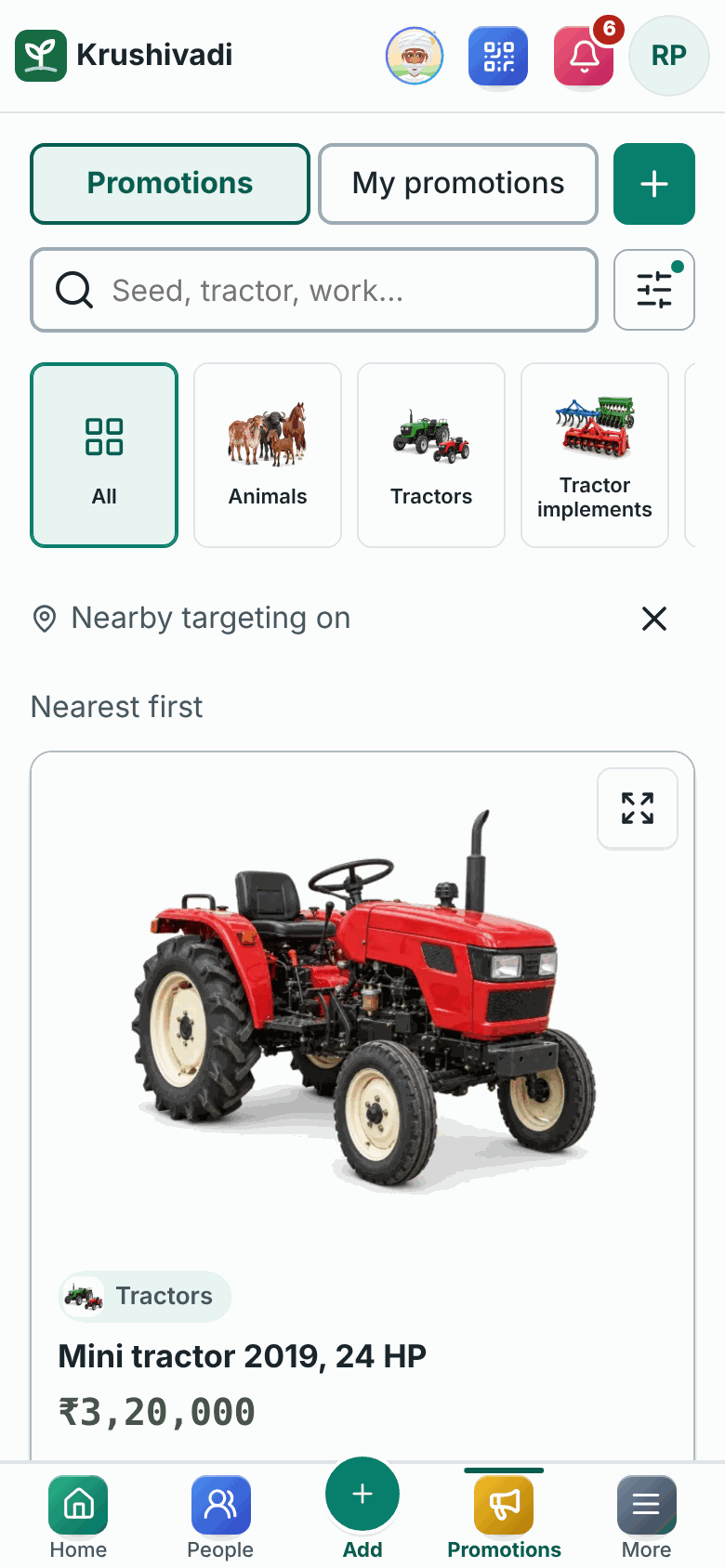
Find what you need
Open Promotions. Search for a product or service, swipe the category icons and use the location filters. Tap a listing to see the full description and available photos.
Verify your profile phone
Before publishing, add and verify your own phone number in Profile. Use the SMS code in the app. A number already linked to another account cannot be reused.
Create your listing
Open Promotions and tap +. Choose the category, write a clear title and describe the condition, quantity and what is included. Do not post misleading or prohibited content.
Add photos and an asking price
Add clear photos of the actual item. Check the preview and framing before continuing. Enter the price when you have one; otherwise the listing can show Price on request. An item price is separate from an advertising fee.
Choose the real location
Search for your village and select a location result. Alternatively, allow current location or open the map and choose a pin. Check the selected place before saving; typed words alone do not establish a location.
Choose visibility and review payment
Read where the selected plan appears, its duration and total fee in checkout. Pay only through an available supported purchase method. Payment pending means the paid listing is not yet activated; check its status in My promotions.
Manage and share
Use My promotions to edit your listing or photos, or delete it when no longer needed. Open a listing and use Share to send its link through an available app. Call opens the phone dialler when a contact number is available.
Review the seller or report a problem
Open Seller reviews to add a review when eligible; manage your own review there. Use the report option for inappropriate content. Confirm item condition and seller details independently before paying anyone.
Where paid promotions appear
- Category and search
- Priority sponsored placement in relevant category/search results.
- Inner advertisements
- Sponsored cards while browsing Promotions and below relevant listing details.
- Home Spotlight
- A rotating sponsored carousel on Home. It does not automatically include Inner advertisements.
Available plans, prices and durations are shown before purchase. Sponsored placement does not verify a seller or guarantee enquiries, sales or every user seeing the listing. Push delivery also depends on permission and eligibility.
Watch: browse, open and share
Captioned screenshot walkthrough · English · no audio. Fictional example data. Screen layout may vary by device.